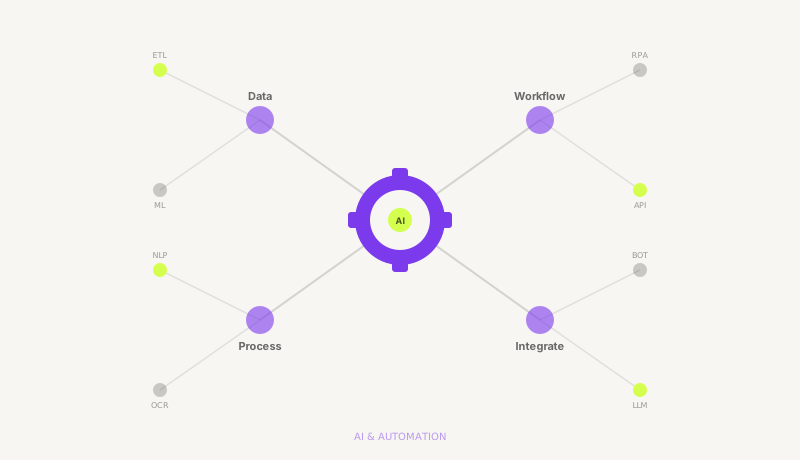
AI automation combines artificial intelligence with business process automation to eliminate repetitive tasks, reduce errors, and scale operations without proportionally increasing headcount. It encompasses workflow automation, intelligent document processing, AI-powered customer support, predictive analytics, and custom AI agent development for business-specific use cases.
Why pay $1,500 per month for a person to copy data between spreadsheets, send follow-up emails, or generate the same reports every week? Nexoforma builds automation that handles these workflows permanently — a one-time investment that runs 24/7, never calls in sick, and scales without adding headcount. You keep the people for work that actually requires human judgment. We eliminate everything else.
Every business has them — tasks that eat 10, 20, even 40 hours a week but require zero creative thinking. Data entry. Report formatting. Follow-up emails. Invoice reconciliation. These are the workflows where human talent is wasted and automation delivers immediate, measurable returns.
The Math Is Simple
Hire a Person
$18K - $36K/year
Recurring salary, benefits, management overhead, training, PTO, turnover risk, and 8-hour daily availability.
Automate It
One-Time Build
Single investment, runs 24/7/365, zero errors, infinite scalability, no sick days, no turnover.
Copying data between CRMs, spreadsheets, and databases. Formatting records. Deduplication. All of it can run on autopilot.
Weekly status reports, monthly dashboards, client updates. Same structure, same sources, same formatting — every single time.
Drip sequences, onboarding emails, re-engagement campaigns, meeting reminders. Triggered automatically based on behavior.
Extracting line items, matching POs, categorizing expenses, flagging anomalies, and routing approvals. All without human eyes.
Scoring inbound leads, enriching contact data, routing to the right rep, and triggering personalized outreach. Instant, every time.
Auto-publish content, recycle evergreen posts, pull engagement metrics, and generate performance summaries. Hands-free.
Whether you need simple workflow triggers or a purpose-built AI agent, we match the solution to the complexity of the problem. No over-engineering. No under-delivering.
Tier 1
Connect, trigger, automate
Tools
Delivery: 1-2 Weeks
Get a QuoteTier 2
AI-powered decision making
Tools
Delivery: 2-4 Weeks
Get a QuoteTier 3
Purpose-built AI agents
Tools
Delivery: 4-8 Weeks
Get a QuoteWe have packaged our most-requested automations into department-specific bundles. Each bundle addresses the highest-ROI workflows for that team, so you get immediate value without starting from scratch.
Accelerate pipeline velocity and eliminate manual prospecting busywork.
Run campaigns on autopilot and focus your team on strategy, not execution.
Eliminate manual bookkeeping and get real-time financial visibility.
Resolve tickets faster and reduce support costs without sacrificing quality.
Streamline hiring pipelines and automate people operations.
Turn raw data into automated insights without manual spreadsheet work.
Every automation project follows a structured process designed to minimize risk and maximize time-to-value. No ambiguity. No scope creep. Clear milestones from day one.
We map your existing workflows end-to-end. Every manual step, every handoff, every recurring frustration. The goal is to identify exactly which tasks are costing you money without delivering proportional value.
We audit your tools, interview stakeholders, and build a workflow map that reveals your highest-ROI automation opportunities. Most companies discover 5-10 workflows they did not realize were automatable.
We architect the automation, select the right tools for each workflow, define deliverables, and present a clear project plan with timeline and cost. You approve before we write a single line of code.
Every solution design includes a tool recommendation, data flow diagram, integration plan, testing criteria, and ROI projection — so you can evaluate the investment with full visibility.
Our automation engineers build the solution, run it through rigorous testing with real data, and validate that it handles edge cases gracefully. You get progress updates at every milestone.
We test with production-like data, validate error handling, and run load tests where applicable. Every automation ships with monitoring and alerting so you know the moment something needs attention.
We deploy to your production environment, walk your team through every workflow, and hand over complete documentation. Your automation is live and your team knows exactly how to work with it.
Deployment includes a recorded walkthrough video, written documentation, a troubleshooting guide, and a 30-day support window for any post-launch adjustments. You are never left guessing.
This is the question every growing business needs to answer for each workflow. Here is a direct, honest comparison to help you decide.
| Factor | Hire a Person | Automate It |
|---|---|---|
| Monthly Cost | $1,499+/mo ongoing | One-time investment |
| Speed | Human speed, variable | Instant execution, 24/7 |
| Error Rate | 1-5% human error | Near-zero |
| Scalability | Hire more people | 10x volume, same cost |
| Availability | Business hours, PTO | 24/7/365 |
| Ramp-Up Time | 2-4 weeks training | Deploy in days |
| Judgment Calls | Nuanced, creative | Rule-based decisions only |
| Relationship Building | Empathetic, adaptive | Not applicable |
The honest truth: Some tasks need humans. Some need automation. The smartest companies use both. We help you figure out which is which — and then we build the automation and provide the staffing, so you get the right solution for every workflow under one roof.
"We had two full-time employees doing nothing but moving data between our CRM and accounting software. Nexoforma automated the entire workflow in 10 days. We redeployed both people to revenue-generating work and the automation hasn't missed a beat in 8 months."
Client Feedback
COO, SaaS Company — Austin, TX
"Our support team was drowning in Tier 1 tickets. Nexoforma built us an AI chatbot that now resolves 68% of inbound inquiries before they reach a human. Response times went from 4 hours to under 30 seconds. Our CSAT score actually went up."
Rebecca L.
VP of Customer Success, E-commerce — London, UK
"We asked Nexoforma to automate our invoice processing pipeline. They connected our email, OCR'd every incoming invoice, matched it to POs in our ERP, and routed exceptions to the right approver. What used to take our AP team 3 days now takes 20 minutes of exception review."
Daniel K.
CFO, Logistics Company — Sydney, AU
Already using DIY tools?
Wondering whether to keep building Zaps or switch to managed automation? Our side-by-side comparison breaks down pricing, capabilities, and total cost of ownership.
Nexoforma vs Automation Tools →Answers to the questions we hear most from operations leaders, founders, and CTOs evaluating automation.
Most repetitive, rule-based, and data-heavy tasks are strong candidates for automation. The most common workflows we automate include data entry and migration between systems, report generation and formatting, email follow-ups and drip sequences, invoice processing and expense categorization, lead qualification and CRM enrichment, social media scheduling and monitoring, document processing and data extraction, customer support ticket routing and Tier 1 resolution, resume screening and interview scheduling, and KPI dashboard updates. The general rule: if a task follows a predictable pattern, involves structured data, or requires the same decision logic every time it runs, it can almost certainly be automated. During our discovery call, we audit your workflows and identify which ones deliver the highest ROI when automated versus which ones genuinely require human judgment.
Deployment timelines depend on the complexity tier. Workflow automations using tools like Zapier, Make, or Power Automate are typically delivered in 1-2 weeks. Intelligent automations involving AI-powered decision making, document processing, or content generation take 2-4 weeks. Custom AI systems — including AI chatbots, RAG pipelines, autonomous agents, and predictive analytics — take 4-8 weeks. Every project begins with a discovery call and solution design phase (typically 2-3 days), followed by build, test, and deployment. We provide a fixed timeline and milestones before you commit, so there are no surprises. Simple single-tool automations (like connecting two apps via Zapier) can ship in under a week.
No. Every automation we build comes with full documentation, a recorded video walkthrough, and hands-on team training. We design systems with non-technical users in mind — clean dashboards, simple triggers, and clear error handling. Your team interacts with the automation through familiar tools like Slack, email, spreadsheets, or your existing CRM. If something breaks or needs adjustment, our support team handles it. You do not need to write code, manage APIs, or understand AI infrastructure. We have built automations for teams where the primary users are sales reps, office managers, and executive assistants with zero technical background.
Most Nexoforma automation clients see a 5-15x return on their investment within the first 6 months. The ROI comes from three sources: direct labor cost savings (replacing $18,000-$36,000 per year in manual work with a one-time build), error reduction (near-zero error rates versus 1-5% human error on repetitive tasks), and speed gains (tasks that took hours now execute in seconds, around the clock). For example, automating invoice processing for a mid-size company typically saves 20-30 hours per month and eliminates data entry errors that cause payment delays and vendor relationship damage. For a full pricing and ROI breakdown across DIY, managed, and agent tiers, see our 2026 AI Automation Cost Guide. We provide a detailed ROI projection during the solution design phase before you commit to any build.
Yes. We offer optional maintenance plans that include monitoring, bug fixes, performance optimization, and feature updates. Many clients choose a monthly retainer for ongoing support, which covers proactive health monitoring, priority response for issues, quarterly optimization reviews, and updates when your tools or APIs change. Alternatively, you can engage us on an ad-hoc basis for specific changes or improvements. All automations are built with thorough documentation so your internal team or any qualified developer can also maintain them independently if you prefer. We do not create vendor lock-in — you own the automation and all associated documentation.
That is the ideal scenario, and it is exactly how many Nexoforma clients operate. The smartest approach is a hybrid model: automate the repetitive, rule-based tasks that do not require human judgment, and staff the strategic, creative, and relationship-driven work with dedicated remote employees. For example, you might automate lead scoring, CRM enrichment, and follow-up sequences while hiring a remote sales development representative to handle qualified conversations. Or automate report generation and data pipelines while staffing a data analyst who interprets the results and recommends actions. During discovery, we help you map every workflow and recommend whether it should be automated, staffed, or handled with a combination of both. As a full-service remote staffing and automation provider, Nexoforma can deliver both under a single engagement.
Tell us what's eating your team's time. We will come back with an automation plan, timeline, and ROI projection — no obligation, no sales pressure.